Desktop Process Mining
Mine, model, and transform process data on your computer
mindzie’s desktop edition gives users process mining, BPMN 2.0 modeling, and Data Designer ETL on their own computer. Analyze event data, build process maps, and prepare structured process files locally, with no cloud upload, no infrastructure to manage, and a clear path to scale when your team is ready.
What is it for
Process intelligence for teams that need data to stay local
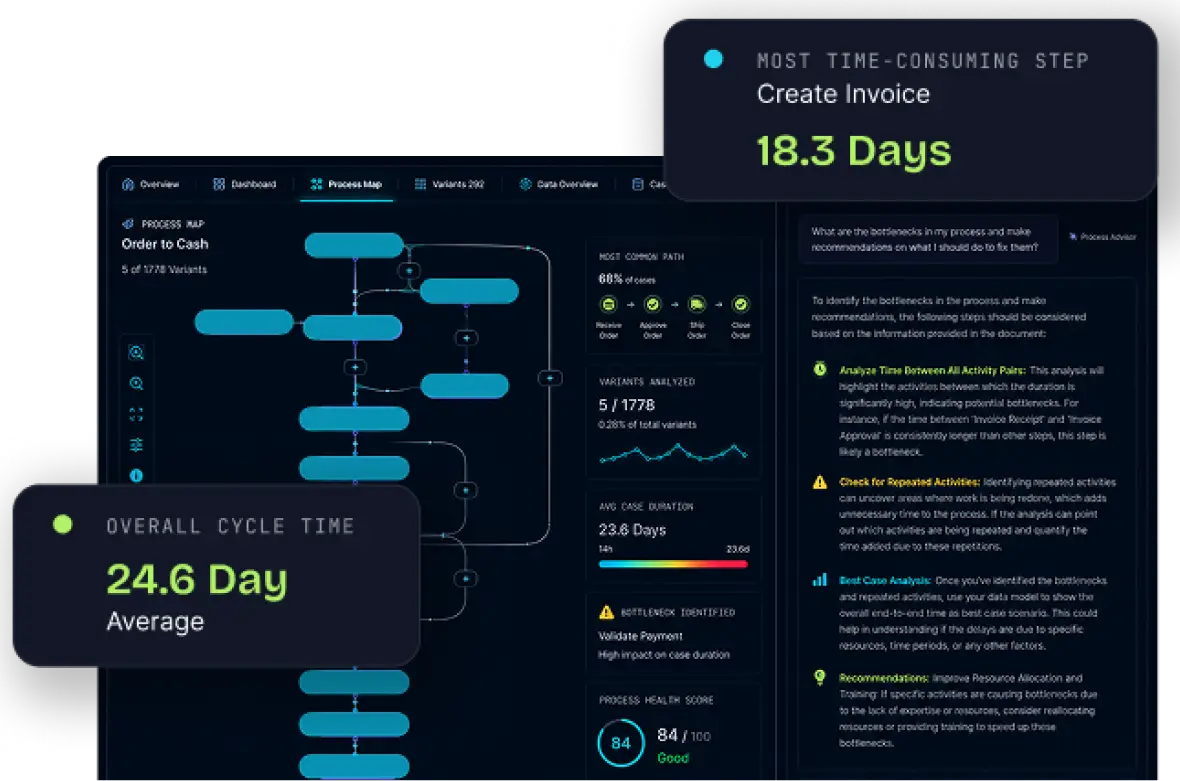
mindzie provides enterprise-grade process intelligence features without moving files into a cloud environment. It gives analysts a way to load event logs, build process maps, review desktop-level activity, and study process issues without moving sensitive files into a cloud environment.
Order and invoice data can show where disputes, collection delays, and manual follow-up slow cash flow.
Procurement teams can pinpoint approval delays, supplier issues, invoice exceptions, and handoff problems that slow purchasing and finance workflows.
Ticket analysis helps ITSM teams see where escalations stall, SLA risks build, and repeated desktop work slows service delivery.
Finance workflows become easier to review when approvals, reconciliations, reporting tasks, and exceptions can be analyzed in one local workspace.
Shared services leaders can compare workflows across regions, departments, and business units to find inconsistencies, training gaps, and avoidable manual effort.
Supply chain analysis can reveal where procurement, fulfillment, inventory, delivery, and exceptions create delays or planning issues.
What is included
A full process intelligence platform on your desktop
The Desktop Edition is not a limited trial with disabled features. It is a local version of the mindzie platform that gives individual users access to process mining, modeling, ETL, AI support, and operational insight from their own PC.
With desktop process mining, users can also connect system activity with desktop-level interactions, making it easier to explain manual work, rework, and exceptions that system logs alone may not show.
Task mining captures user interactions on computer screens, including application switches, repeated actions, and manual steps. This helps teams analyze employee rework, exceptions, and task-level friction so they can improve process optimization.
BPMN 2.0 modeling helps users document existing workflows, compare design against reality, and create clearer process maps based on observed execution instead of assumptions.
AI agents can use governed process context to support intelligent automation, helping teams connect analysis with the next best action across workflows.
Operational dashboards and AI-supported reports turn process analysis into clearer priorities, helping users identify inefficiencies, monitor key performance indicators, and explain findings to stakeholders.
Data Designer helps users connect data sources, clean records, define a case ID, and turn raw files into structured event data ready for process mining.
Editions
Start free. Scale when ready.
Getting started
Up and running in four simple steps