The old rule: four fifths of the project was the data
Ask anyone who ran a process mining project five years ago where the time went. You get the answer before you finish the question. Not the analysis. The data.
The research agrees. A 2025 review in ACM Computing Surveys by Pradhan, Jans and Martin describes the pre-analysis stage, where raw records become an event log, as “often accounting for more than 80% of the time and effort involved.” Data science outside process mining tells the same story. A 2016 CrowdFlower survey reported in Forbes found data scientists spent 60% of their time cleaning and organizing data and another 19% collecting it.
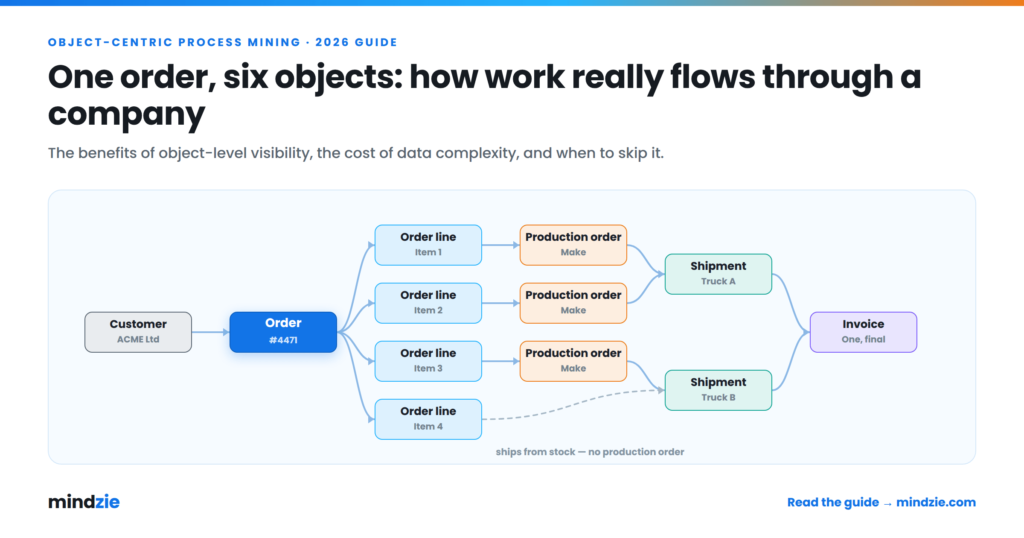
We have made the same point on this blog before. In our guide to object-centric process mining, we warned that building the object model against real ERP source systems is “a substantial piece of data engineering,” and we told teams with no data engineering capacity to start case-centric. That advice was right for its time. The ground under it has moved.
Why event log preparation ate the project
A process mining tool needs three fields for every step: a case ID, an activity, and a timestamp. That sounds trivial. It almost never is.
No system keeps an event log
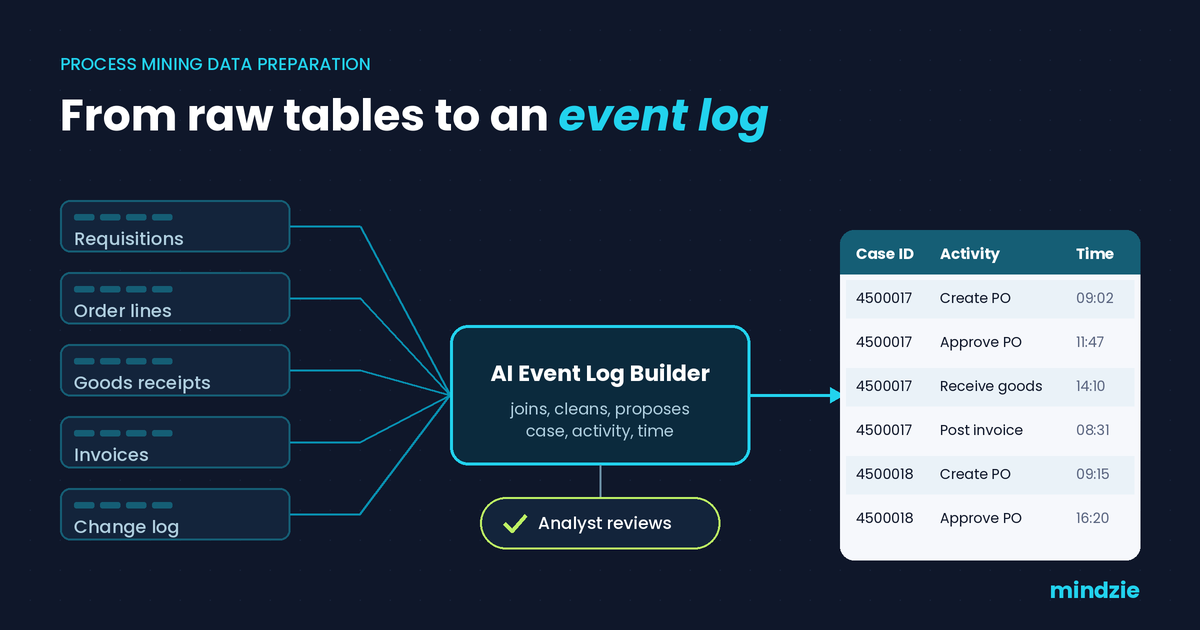
Take purchase to pay in an ERP. The purchase requisition lives in one table, the order header in another, order lines in a third, goods receipts and invoices somewhere else. The history of who changed what sits in a change document table that stores old and new values as text. None of these tables was designed to answer “what happened to this order, in what sequence.” Someone has to stitch them together.
Every join is a modeling decision
Is the case the purchase order, or the order line? Does “invoice received” mean the scan date, the posting date, or the entry date? Do you keep the automated status updates a batch job writes at 2 a.m., or drop them as noise? Each answer changes the process map you get. Get the case definition wrong and the analysis is wrong in ways nobody notices until a manager says, “that is not how we work.”
The work landed in the wrong queue
The people who understood the schemas were data engineers. The people who understood the process were analysts. The event log sat between them. Requests went into a ticket queue, came back missing a timestamp, and went in again. Weeks passed before anyone saw a process map.
That handoff, not the SQL, was the real cost.
What changed: AI helps draft the event log, and you review it
The shift over the last two years is simple to describe. Language models are good at reading schemas and sample rows and proposing how they fit together. Ask one which tables describe a purchase order and how they join, and you get a sensible first answer. That is exactly the work that used to sit in the queue.
In mindzie, this happens inside Data Designer, the ETL and data transformation layer of the platform. There is no separate ETL tool to license and no handoff to a data engineering queue. The AI assistants help at each step:
- The DB Assistant helps you explore unfamiliar tables and understand what they hold.
- The ETL Assistant writes the joins, filters, and cleanup transformations.
- The AI Event Log Builder helps define the case ID, the activities, and the timestamps.
- The AI Copilot takes questions in plain language and can join data for you.
Prebuilt connectors cover SAP, Oracle, Microsoft Dynamics 365, ServiceNow, NetSuite, Salesforce, and Snowflake. You can also connect any ODBC source or load file exports. SQL and Python stay available for the transformations that outgrow the visual canvas.
The bottleneck moved from building the log to judging it.
What the analyst still owns
AI-assisted does not mean auto-trusted. A model can propose that the case is the order line and that “goods receipt” comes from the material document posting date. It cannot know that your plant in one region backdates receipts on Fridays. You do.
So the human job changes. You review the case definition. You rename activities so they mean something to the business. You decide which system events are noise. Then the built-in quality checks confirm the design before it runs, and Data Designer generates the documentation, so the next person can see how the log was built.
An example walkthrough: from CSV exports to a published log
Here is how a first project typically runs when no one has direct database access yet. This is an example of the workflow, not a measured customer result.
- Load the exports. Export the purchasing tables as CSV files, named after their source tables, and load them into Data Designer. It imports them into a local database for transformation.
- Let the assistants draft. Ask which tables describe purchase orders and how they connect. The assistants propose the joins and a first event log design.
- Review the case definition. Accept order line as the case, or change it. Check which date field feeds each activity.
- Clean up the activity list. Merge two activities that mean the same thing to the business, and drop an automated status update that adds noise.
- Run the quality checks and publish. The log goes to mindzie Studio, where process discovery, variant analysis, and conformance checking are available as soon as the log lands. Set a refresh schedule so every map and monitor updates with it.
- Switch to a live connection later. Because the files carry the source table names, you can move to a direct database connection without rebuilding the event log design.
Notice where the time sits now: in steps 3 and 4, the decisions only someone who knows the process can make.
Why this matters more when the data cannot leave
AI-assisted data preparation has a catch. To draft your event log, the model has to see your schemas and sample rows. In a bank or a hospital, those rows hold patient and payment data. Sending them to an external model endpoint is the kind of thing a security review takes months to approve, if it approves it at all.
This is where deployment stops being a footnote. You can run mindzie in the cloud, on your desktop, or on premises, with the same features. On premises, the full platform runs inside your firewall, with AI models running locally and no data leaving the network. Connections use read-only service accounts with the minimum permissions required. Your data, your rules.
If you want to try the workflow before involving IT at all, the Desktop Edition performs full process mining locally with no cloud upload.
Questions to ask any tool that claims to automate event logs
“AI builds your event log” is quickly becoming a standard line. Before you believe it, ask:
- Can you see the case definition it chose, and change it? A black box that outputs a log you cannot inspect just moves the risk.
- Can you edit the generated transformation directly? In SQL or Python, not just by re-prompting.
- Does it check quality before publishing? Missing timestamps and duplicate events should surface before the process map does.
- Where does the model run? And exactly what leaves your network when it does.
- Does the log refresh? A one-off extract goes stale the week after the workshop.
- Can you start from file exports and move to a live connection without starting over?
If the answers are vague, the 80% has not gone anywhere. It has just been hidden.
Where the time goes now
Data preparation still exists. It is no longer the project. Engineering effort that once went into stitching tables together now goes into the questions process mining was bought to answer: which variants drive delay, where the process departs from the model, and what the root cause actually is.
If you have a process you have been meaning to mine but kept putting off because of the data work, start with an export and the step-by-step guide to process mining. Or book a demo and bring your own tables.
Sources
- Pradhan, S. K., Jans, M. and Martin, N. “Getting the Data in Shape for Your Process Mining Analysis: An In-Depth Analysis of the Pre-Analysis Stage.” ACM Computing Surveys, 2025. https://dl.acm.org/doi/10.1145/3712587
- Press, G. “Cleaning Big Data: Most Time-Consuming, Least Enjoyable Data Science Task, Survey Says.” Forbes, March 23, 2016. https://www.forbes.com/sites/gilpress/2016/03/23/data-preparation-most-time-consuming-least-enjoyable-data-science-task-survey-says/