Mining patient flow out of Cerner comes down to three columns and one architectural decision. The three columns are case ID, activity and timestamp, and your clinical event tables already hold all three. The decision is where the analysis runs. Get that right and the analysis runs where the data already lives.
What you need from Cerner to mine patient flow
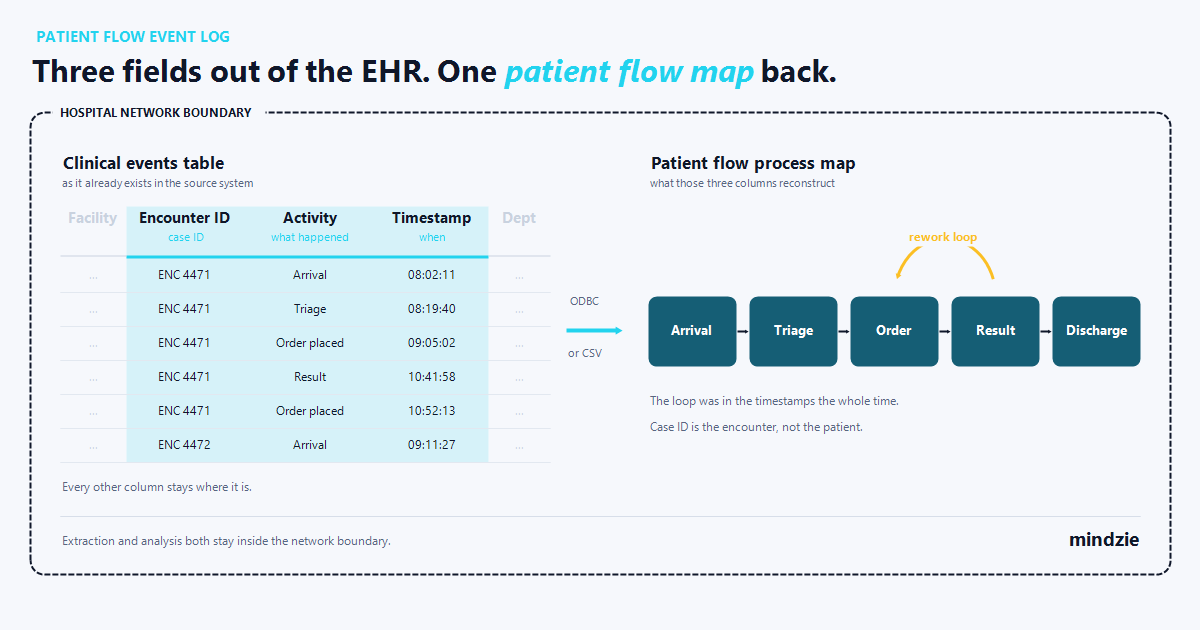
Three fields. A patient-flow event log needs a case ID, an activity name and a timestamp. In Cerner, as in other EHRs, those typically map to the encounter identifier, the order or documentation action, and the charted date and time. Everything else, unit, service line, ordering provider, acuity, is optional context you can add later.
That is the whole minimum. Not a data model. Three columns.
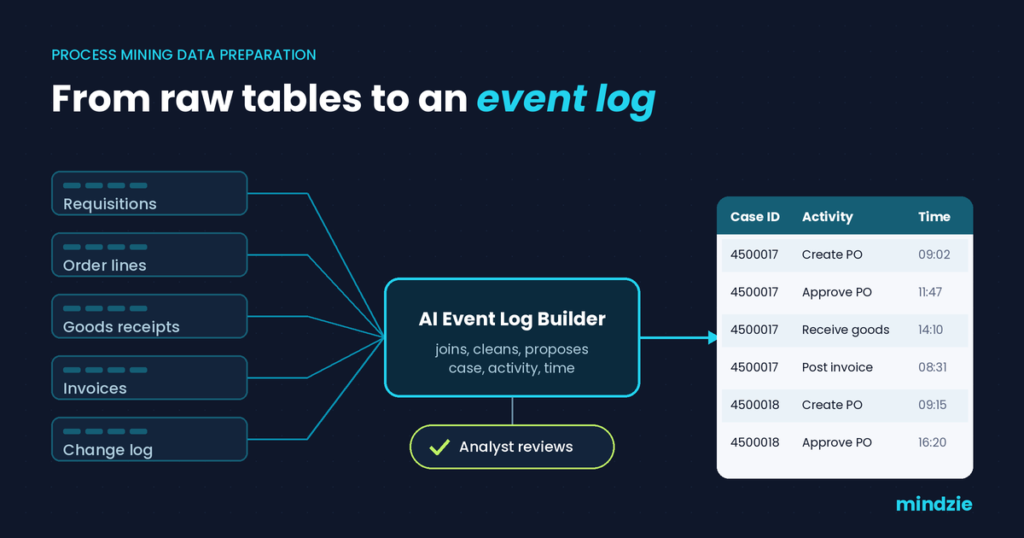
The reason this matters is that the work between raw clinical tables and a usable event log is where most process mining projects stall. Pradhan, Jans and Martin, writing in "Getting the Data in Shape for Your Process Mining Analysis" in ACM Computing Surveys, 2025, describe the pre-analysis stage from raw data to event log as "often accounting for more than 80% of the time and effort involved." If you are being told the EHR data model is too complex to mine, what you are really being told is that nobody has budgeted for that 80%. Narrowing the scope to three fields is how you shrink it. A recent post covers the general version, why event log preparation is no longer the hard part. This is the clinical version.
Where the three fields live in clinical data
Clinical activity in an EHR like Cerner is generally stored as timestamped rows, which is already the shape process mining wants. Each row typically carries an encounter reference, something that happened, and when it was recorded. Your job is to pick which identifier is the case, which columns name the activity, and which of the several timestamps you trust.
Choosing the case ID: the encounter, not the patient
Use the encounter identifier. Not the medical record number.
A patient who is admitted four times in a year is four cases, not one. Set the case ID to the patient identifier and those four stays collapse into one tangled case; every readmission looks like a rework loop; average case duration becomes meaningless. The encounter is the unit of flow: a start, an end, and a sequence of events in between.
One exception. If the question is about readmission or continuity of care across stays, the patient identifier becomes the right case ID and the encounter becomes an attribute. Decide which question you are asking before you build the log.
Choosing activities: orders, documentation and status changes
Three families of events carry most of a patient-flow story: ADT status changes (admit, transfer between units, discharge), order lifecycle events (placed, collected, resulted, acknowledged), and clinical documentation events such as an assessment being filed or a note signed.
Keep the first pass small. Aim for roughly 15 to 25 distinct activity names. A log with 400 of them produces a map nobody will read, and hides the delay you were looking for. You can always split an activity later.
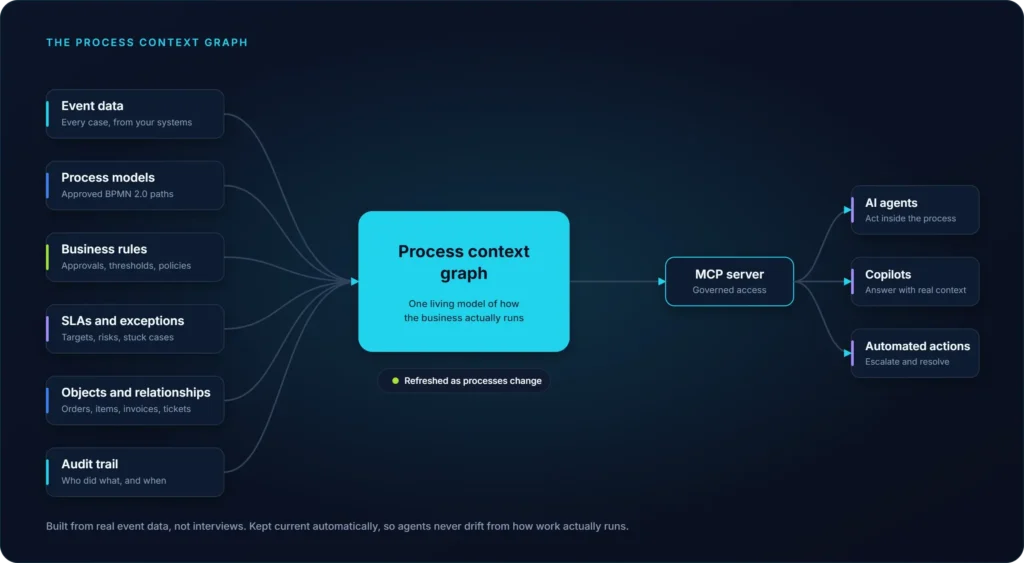
The Data Designer, the platform’s ETL and event log layer, has AI assistants that help with exactly this step. They explore the tables and suggest which columns look like a case ID, which look like activities, and which timestamp to anchor on. They help. A clinical informatics lead still approves the activity list, because only that person knows when two differently named order statuses mean the same thing. Auto generated does not mean auto trusted.
Timestamps: charted time versus system time, and why the gap matters
Clinical rows usually carry at least two times: when the clinician says the event happened, and when the row was written to the database. They can be hours apart.
Picture a medication administration charted at 14:05 but filed at 16:40 during end-of-shift catch up. Use the system time and your event log places that administration after the discharge order, inventing a sequence that never happened. Use the charted time and the order is right. So anchor on charted or performed time, and keep the system timestamp in a second column. Documentation lag is a finding in its own right.
Getting the extract out without a data project
You do not need a warehouse first. A read-only query against the clinical event tables, returning encounter ID, action and recorded time for a date range, is enough to build the first event log. Scope it to one service line and three months. That extract is small, reviewable by your privacy office, and enough to settle the question.
Read-only service accounts and least privilege
Connections run through read-only service accounts with the minimum permissions required. The account reads the handful of tables the event log is built from, and nothing else. No write access, no access to tables outside the agreed scope.
This matters for the approval conversation more than the technical one. A request to read a handful of named tables through one service account is a decision your DBA and security reviewer can make in a meeting. A request for a general clinical data feed is a project. Same data, very different approval path.
Pseudonymize the encounter identifier before the extract leaves the source system. Process mining works on sequence and clock, so a consistently hashed encounter ID mines exactly the same as a real one. PHI is a data-handling constraint, and the architecture below is how it gets addressed.
CSV extract first, direct connection later, same event log design
Start with a CSV. It is the fastest route past a change-control queue, and the output of the pilot is identical.
Here is the detail that saves the rework. If you name the CSV files after the source tables they came from, Data Designer imports them into a local database, and that same design can later switch to a direct database connection without rebuilding the event log. The case ID choice, the activity mapping, the transformations, all of it survives the switch. The pilot is the production design.
There is no named Cerner connector in the platform, and you do not need one. The extract path is ODBC for a direct connection, or a CSV export, the same path used for any clinical or departmental system that produces a timestamped table.
Where the analysis runs, and why that is the whole decision for PHI
For a hospital, deployment is not a preference. It is the question that decides whether the project happens. mindzie runs the full platform on premises inside the customer’s firewall, with AI models running locally and no data leaving the network. Cloud and desktop deployments exist too, with the same features in each.
That last part is worth testing with any vendor, including this one. "On-premises" can describe a deployment where the analytics run locally while the AI features call a hosted model, in which case prompts built from clinical event data leave the network even though the database never does. Two questions separate the two architectures: where does inference happen, and can the model run inside our boundary. Ask for the answer in writing.
For a pilot there is a smaller starting point: Desktop Edition, for a pilot on sensitive data, performs full process mining locally with no cloud upload. The free version supports up to 1,000 cases on a single machine, enough to show your governance group a real map built from your own data, with the mining running locally and no cloud upload.
If cloud is acceptable for a given dataset, mindzie Cloud is SOC 2 Type II certified, with controls aligned to ISO 27001 and continuously monitored through Drata. For clinical event data, most hospitals will not go there, and they do not have to.
What the first patient-flow map usually shows
Variants. The first map almost always shows more distinct paths through the same pathway than anyone expected, plus loops where a step repeats. This is the technique working as designed: automated discovery reconstructs every path in the data rather than the documented one, so it surfaces the exceptions people quietly manage every day.
Scale is the thing to brace for. In an example process mined from 12,000 customer service tickets, 96,412 events reduced to 7 valid variants and 18 decision rules once the analysis was done. Patient flow behaves the same way: a short list of documented steps multiplies into far more real paths once staffing patterns, handoffs and exceptions show up in the data.
What makes that useful is tracing a big effect to a small cause. Not "the discharge process is slow". Instead: this status change, on this percentage of encounters, adding this many hours. That is the finding that survives a conversation with a clinical lead. More on the play: process mining in healthcare and patient flow.
FAQ
Four questions come up in nearly every hospital evaluation, and all four are versions of one: can we do this without moving clinical data, and how much work is it before we see something. Short answers here, with the detail above.
Can process mining run on EHR data without sending it to the cloud?
Yes. An on-premises deployment runs the full platform inside the customer’s firewall, with AI models running locally and no data leaving the network. Desktop Edition is the smaller version of the same idea, performing full process mining locally with no cloud upload.
What is the minimum data needed for a patient-flow event log?
Three fields: case ID, activity and timestamp. For Cerner that is the encounter identifier, the order or documentation action, and the charted time. Attributes such as unit, service line and ordering provider make the analysis richer and are worth adding, but no analysis is blocked waiting for them.
Is the case ID the patient or the visit?
The visit, in almost every patient-flow question. Using the patient identifier merges separate admissions into one case and makes every readmission look like a rework loop. Use the patient identifier only when readmission or continuity of care across stays is the actual subject of the analysis, and treat the encounter as an attribute instead.
Do we need a data warehouse before we can mine patient flow?
No. A read-only extract of the clinical event tables, scoped to one service line and a few months, is enough for a first event log. Name the CSV files after their source tables and the same design can later switch to a direct database connection without rebuilding the event log, so the pilot work carries into production.
Download Desktop Edition and build the three-column log from a CSV extract of one service line, with the mining running locally on your own machine and no cloud upload. When the map on your screen is one you want other people to argue about, ask us for a demo built on that same process.