This tutorial involves exporting and importing encrypted project files—ensure you follow your organization’s data governance policies.
Learn how to transfer complete projects between mindzie studio environments—desktop, cloud, and on-premise—with just a few clicks. This guide covers exporting, backing up, and importing project packages without losing any of your work.
Here’s what we’ll cover
- Understanding mindzie studio Environments
- Exporting a Project Package
- Importing a Project into Another Instance
1. Understanding mindzie studio Environments
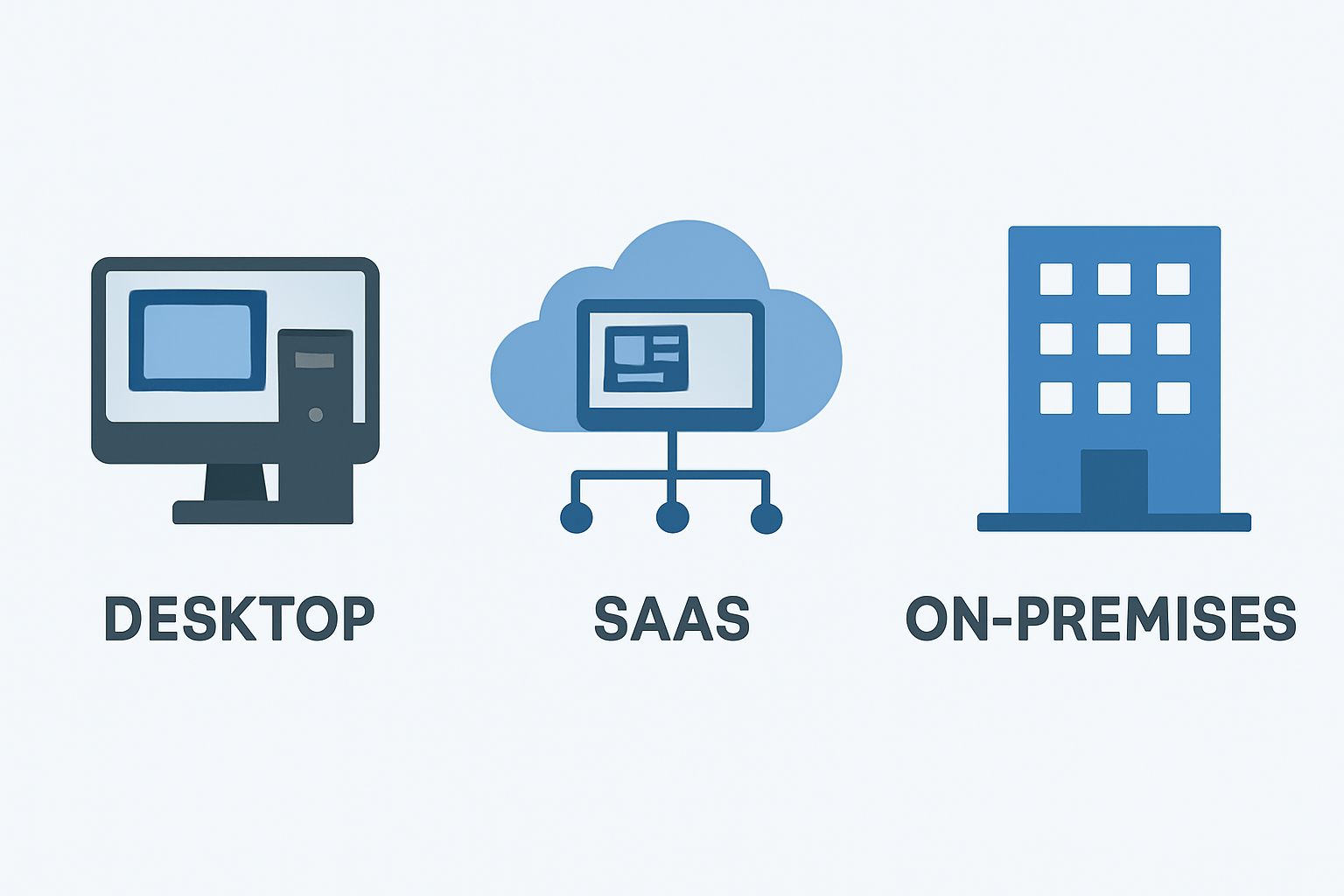
mindzie studio supports three deployment modes: desktop (for offline, individual use), cloud (ideal for collaborative environments), and on-premise (for secure, client-hosted setups). Users often need to move projects between these instances, such as preparing an offline demo or shifting from a test setup to production.
2. Exporting a Project Package
To begin transferring a project:
- Open mindzie studio and locate your project. For older versions, switch to the list view to find the export option.
- Select the desired project (e.g., “Order to Cash”) and choose to export it.

- The exported file, a compressed and encrypted package, will appear in your Downloads folder.
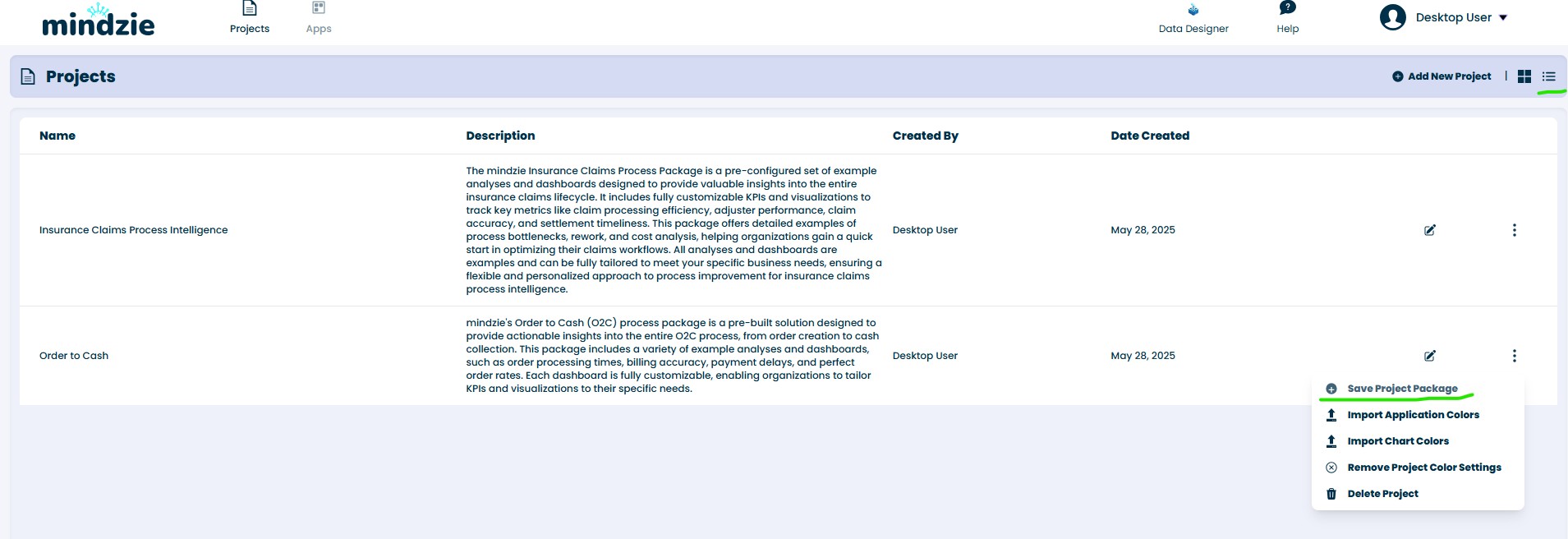
This file contains everything—datasets, investigations, analyses, and dashboards.
3. Importing a Project into Another Instance
Once your project package is ready:
- Launch the mindzie studio instance you want to import into (cloud, on-premise, or desktop).
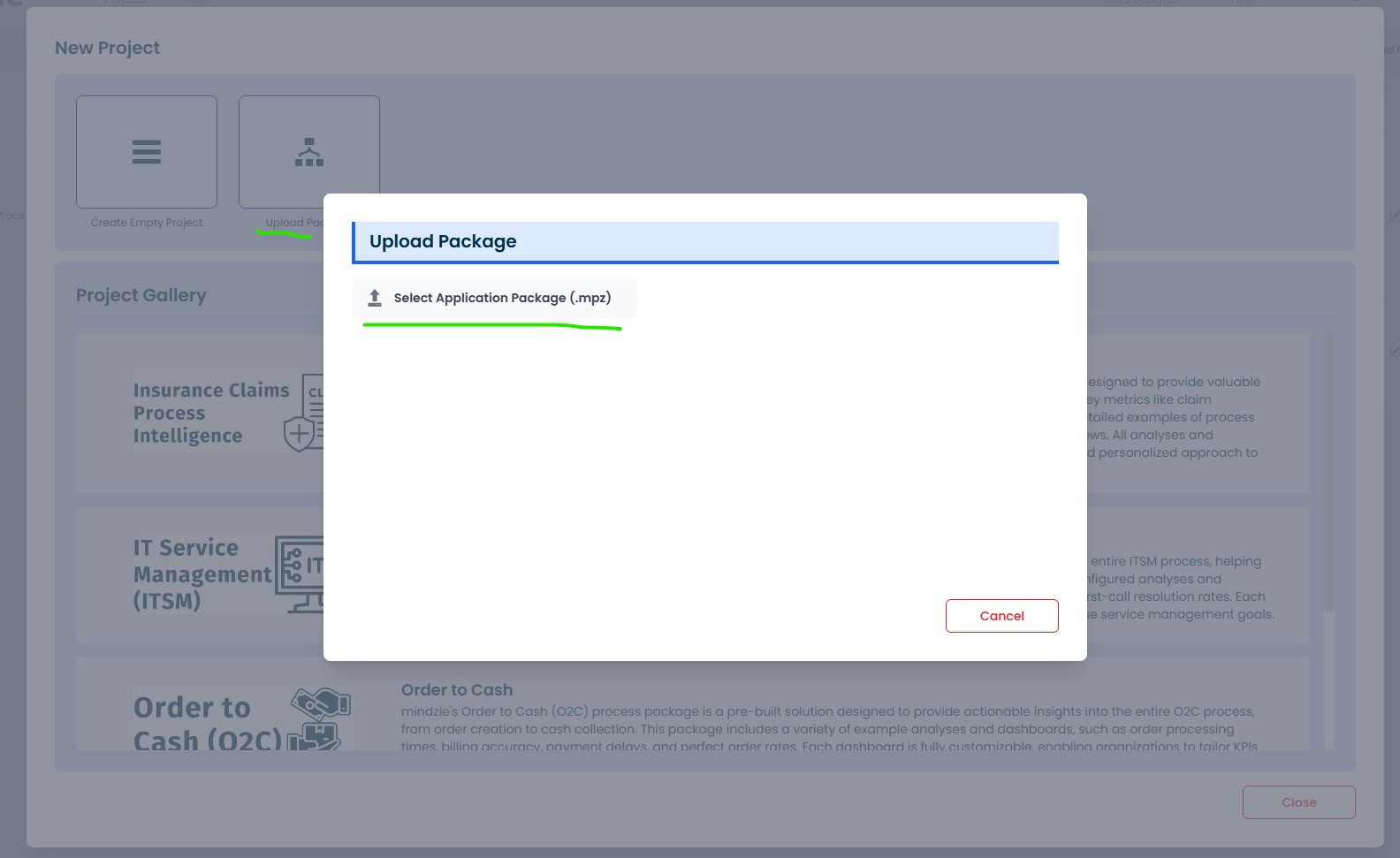
- Go to the Projects area and click “Add New Project”> “Upload Package.”

- Choose the file you exported previously.
- All project elements—data, analyses, investigations, dashboards—will be imported automatically.
Need a Backup Too?
This process isn’t just for transfers—it’s also a great way to back up projects offline for safekeeping.
Next steps
Moving between environments is easy because every edition runs the same platform. Download the free desktop edition for offline work, create a free cloud account, or learn about on premises deployment for client hosted setups.